Beginner Guides
Daily Focus Habits Using Productivity Apps: Practical Steps For Real Results
Discover how real focus habits and productivity apps can transform your workflow every day. Learn actionable techniques, routines, and cues that help you maintain clarity and boost performance.
Advertisement
Juggling work, school, or family, it’s easy to feel distracted. Many try to set routines, but staying consistent is the real challenge. Smart use of focus habits can reshape your workflow through simple tweaks in productivity apps.
Productivity tools aren’t magical, yet they can reinforce focus habits that boost your day. The difference lies in how you build repeatable actions into the app, not just what the app can do.
This guide offers actionable ways to implement proven focus habits with productivity apps. Dive in to start building routines anyone can follow, at any skill level.
Set Anchors: Begin Tasks With Predictable Routines Each Day
You can create a powerful rhythm each morning by opening your main productivity app, reviewing tasks, and setting a daily anchor. Strong focus habits emerge when you build around this anchor.
Give yourself five minutes to check notifications and reply only to priority messages. Then, name a core focus for the day. This clear step signals your brain to enter work mode.
Choose a Launch Phrase for Mental Cues
Phrases like “It’s action time” or “Let’s get started” can kickstart your routine. Saying them while opening your app strengthens focus habits by connecting intention with action.
Keep your launch phrase visible. Add it to the top of your to-do list or as your daily reminder. Your brain will start associating the phrase with getting things done.
For those feeling scatterbrained, anchoring with a phrase plus reviewing today’s must-do item gives focus habits a tangible, repeatable cue.
Time Blocking With Calendar Apps
Use a calendar app to lay out chunks of focused work time, even short 25-minute blocks for deep effort. Label each slot specifically: “Write proposal,” not just “Work.”
After each block, schedule a brief reset period. For instance, “Walk to window five minutes” prompts energy renewal before switching focus. Consistent time-blocking reinforces the focus habits you’re building.
Stick to the blocks you set—don’t reshuffle unless urgent. This structure signals to your brain that these times are protected for focused work, not random scrolling.
| Focus Habit | App Feature | Routine Cue | Action Step |
|---|---|---|---|
| Morning Review | Daily Overview | Launch Phrase | Open app, read list, say phrase aloud |
| Task Prioritization | Drag-to-Order | Sort by “Today” | Move vital tasks to top at beginning |
| Time Blocking | Calendar Slots | Color Code | Label work sprints for clarity |
| Break Reminders | Pop-up Alerts | Visual Prompt | Take brief physical pause when notified |
| End-of-Day Close | Checklist Archive | Completion Cue | Mark finished, review wins |
Design Repeatable Triggers: Set Up Automatic Reminders and Cues
Automated triggers increase your chances of building strong focus habits. Reminders can nudge you at the right moment, even when your mind’s elsewhere.
Apps let you schedule push notifications for recurring priority tasks. Set notifications to appear at strategic moments—right before lunch, as you start the day, or just before a regular break.
Craft Effective Notification Messages
Write reminder texts that are direct and actionable, like “Shut browser tabs now and update next step.” Vague prompts reduce focus. Clear instructions strengthen focus habits over time.
- Use personal, encouraging messages, for example, “Refill your water, then review your notes.” This makes reminders feel more motivating and increases follow-through.
- Set reminders for pre-decision points, such as “Check tomorrow’s deadlines before logging off.” This builds anticipation into your focus habits for better evenings.
- Schedule an end-of-day summary that asks, “List what worked well today.” This wraps your routine, reinforcing positive focus habits just before you stop work.
- Adjust tone and timing if notifications become easy to ignore. If you tap away without reading, move the reminder up or down, or reword it for freshness.
- Combine reminders with habit streaks. Your app can show how many days in a row you completed tasks, rewarding steady focus habits with a visual count.
Consistent notifications transform routines into repeatable, automatic behaviors. Every custom message is a concrete nudge to act with intention.
Automate Recurring Focus Windows
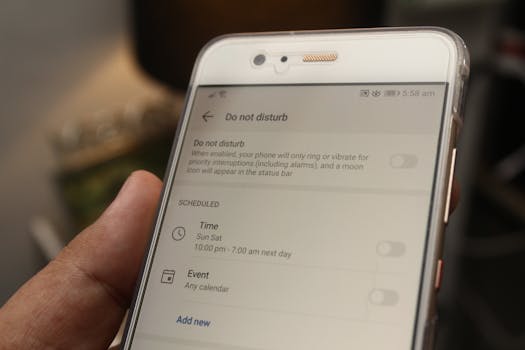
Some apps allow recurring “focus mode” settings. Set your app to block distractions and silence non-work alerts during designated times each day.
- Sync focus times with your natural energy peaks, like mid-morning. That’s when focus habits are easiest to maintain, yielding higher quality work.
- If your productivity app lets you, pre-plan theme days (e.g., “Planning Monday,” “Research Thursday”) to direct attention with purpose. Scheduling automates which type of task gets focus on which day.
- During active focus windows, enable a gentle alarm or subtle haptic feedback. This physical cue signals it’s time to reset or celebrate completing a focus session.
- Review your focus streaks at week’s end. Apps display progress and lapses, showing how consistent you are. Missing a day? Revisit your triggers for adjustment.
- Let family or coworkers know your orange light means “focus mode.” This boundary builds respect for your focus habits and limits disruptions around you.
Automated cues and scheduled focus windows turn your best intentions into actions that stick. Every micro-habit gets stronger with supportive app nudges.
Pair Task Lists With Check-Ins: Track Progress Visibly
Make your momentum obvious by pairing digital lists with visible, scheduled check-ins. This level of clarity deepens your focus habits, offering concrete evidence of effort daily.
Seeing a list shrink or a progress bar fill leaves no mystery about your forward motion. Progress becomes visible and motivating.
Share Quick Updates For Accountability
Update your team, accountability buddy, or even a friend once you’ve knocked off key tasks. Send short summaries: “Done: edited report, set appointments, reviewed doc.” Honest updates support focus habits by building external trust.
For solo work, consider sending yourself a daily accomplishment email. Use a template, and keep the tone positive, noting what you’ve completed and what deserves attention the next day.
When you share your wins, even for yourself, small victories become meaningful. Focus habits deepen with acknowledgment and routine closure.
Use Visual Dashboards and Progress Bars
A dashboard view, with colored progress meters or pie charts, transforms abstract to-do’s into concrete achievements. Each segment completed is another reason to feel proud, fueling your focus habits further.
If your app doesn’t have built-in dashboards, set up a weekly review meeting with your past self. Browse completed lists, compare checked and unchecked items, and note trends without judgment.
The more visible your progress, the easier it becomes to see which focus habits help or stall your momentum. Visualizations take guesswork out of self-improvement.
Consolidate Devices and Apps For Seamless Focus
Bringing all your tasks, reminders, and progress into one productivity app improves clarity. This eliminates device hopping and split attention, both of which disrupt focus habits.
Instead of toggling between scattered apps, funnel messages, notes, and to-dos into your core tool. Streamlined access tightens focus and limits distraction.
Centralize Notifications For Fewer Interruptions
Toggle notifications from non-essential apps off during focus windows. Keep only urgent work alerts active, using priority settings or custom white-lists if your app offers them.
Each new notification asks for your attention. Too many, and focus habits weaken. Plan app-specific quiet periods, displayed via a “busy” or “deep work” status to signal intent.
If someone needs to reach you, encourage them to use a single app—like a shared team chat—during your focus blocks. This builds mutual respect for distraction-free stretches.
Link Calendar and Task Apps For Automatic Sync
Syncing calendar and task apps eliminates duplicate planning. Events update automatically—missed tasks land in tomorrow’s list, canceled meetings free up focus time immediately.
Use built-in integrations, or connect apps through a dedicated sync tool. This keeps everything current without extra manual work, supporting firm focus habits.
Try drafting scripts: “All new tasks flow to my primary app. No new calendar invites unless tagged urgent.” Make the sync system a core focus habit each week.
Apply Mini-Reviews To Pinpoint And Adjust Focus Weak Spots
Checking in, even for two minutes, reveals what drives your best work—and where focus drifts. These speedy reviews keep your focus habits evolving.
Track favorite wins, sticky blockers, or recurring distractions in your productivity app. Tag or summarize these insights for future problem-solving.
Daily End-Of-Session Reflection Process
At each session’s end, jot two things: one win, one challenge. For example, “Completed report draft” and “Paused too long after phone call.” This grounds your focus habits in facts.
Next, note one fix—”Move phone out of reach during work sprints.” Concrete adjustments make future focus habits more resilient.
Over a week, scroll these logs to watch for repeated patterns. Track progress, celebrate improvement, and tweak routines as needed, rather than sticking rigidly to one system.
Set Milestone Checkpoints Beyond Daily Routines
Schedule weekly or monthly mini-reviews for bigger-picture focus patterns. Use your app’s stats, like completed tasks or session streaks, to see deeper trends emerge.
Ask yourself, “Do my mornings keep me focused? Where do I finish strong or slack off?” Notice if certain environments or times consistently disrupt concentration.
Apply one change at a time. For instance, commit to “Begin with a recap” or “Silence messages after lunch” for one week. Small, deliberate experiments recalibrate focus habits continuously.
Build Flexibility Into Your Habits To Handle Disruptions And Change
Life throws curveballs, so rigidity can break your focus habits. Resilient routines expect change, flex naturally, and make space for the unexpected.
If a meeting runs late or power goes out, your app should let you reschedule tasks instantly or slide them to an open slot without guilt. This safeguards your momentum.
Maintain a Buffer Block Daily For The Unplanned
Add a “catch-up” time in your calendar. When urgent issues eat your planned focus window, this buffer ensures important tasks still get attention.
Think of this as your “rain delay.” When needed, you can slide a missed task to this time. Consistent use of the buffer strengthens sustainable focus habits.
If you don’t need the buffer that day, reward yourself—a walk, quick game, or relaxing break—reinforces the value of routine and flexibility combined.
Have a Go-To Recovery Script After Breaks
Whenever your rhythm is broken, rehearse a script like “Pause, check progress, reset.” Breathe, check the day’s progress, and restart at your last clear win.
This recovery process resets your mindset and tells your productivity app you’re back on track. Flexible focus habits accept detours and help you navigate back faster.
If needed, switch up your cues; try a new launch phrase or shorter focus block. Embrace the need to adjust as essential, not a weakness.
Conclusion: Strengthen Focus Habits For Sustainable Productivity
Building focus habits with productivity apps means turning small, repeatable steps into reliable routines. Through clear cues, smart triggers, and regular reviews, your habits gain staying power.
Strong focus habits don’t require superhuman willpower. They develop naturally when your tools sync with your intentions, giving you a platform for sustainable, high-quality work each day.
Experiment with different routines and features until you find the right blend of structure and flexibility. Those everyday tweaks turn good intentions into a daily pattern of getting things done.